Surcharging
Surcharging lets you pass part of the cost of accepting credit cards along to your payer. When it's enabled on your account, a surcharge is automatically added at checkout on eligible card payments. You receive the full invoice amount; the surcharge covers the cost of accepting the card payment.
How It Works
When a payer chooses to pay an eligible invoice with a credit card, a surcharge is calculated automatically and added to the total amount (within the maximum allowed by card network and regulatory rules). The payer sees the surcharge, and the new total, before completing payment. You receive the full invoice amount; the surcharge is never deducted from your payout.
If your agreement includes a platform fee, it is billed to you separately on its own invoice, listed as Surcharging Platform Fee. The platform fee is not deducted from your payout.
Debit and prepaid cards are never surcharged. If a payer uses one of these payment options, they pay the invoice amount with no surcharge added.
Usage
What Your Payer Sees
When a payer pays an eligible invoice by credit card in the Customer Portal, the payment summary shows the invoice amount, the surcharge, and the total, along with a disclosure text.
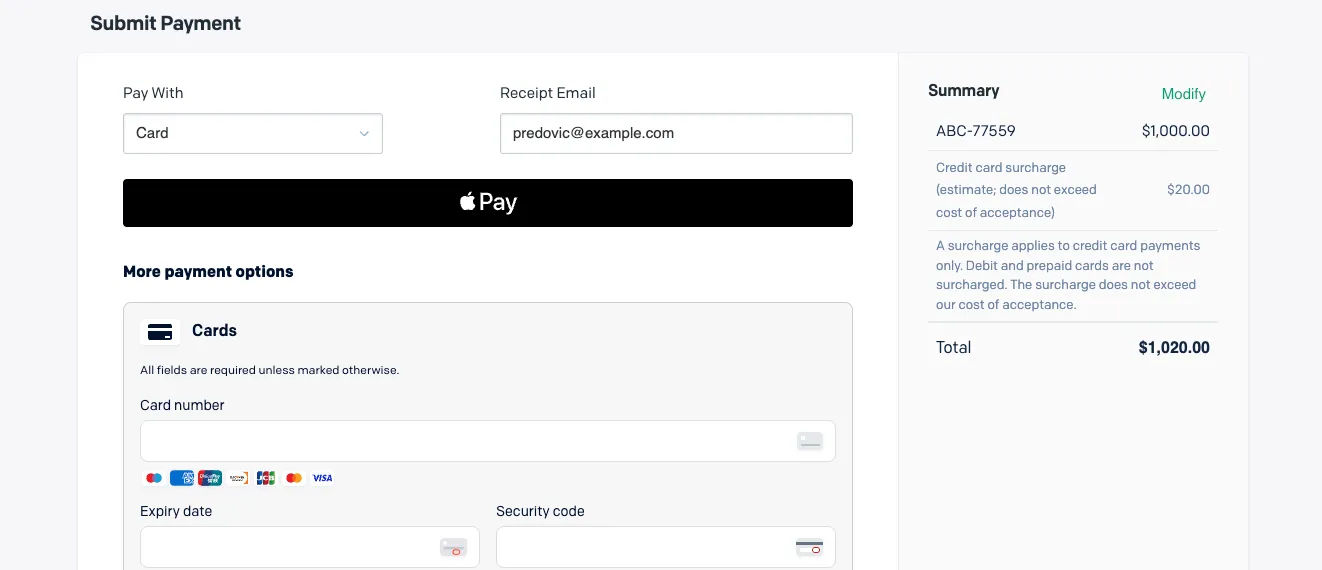
If the payer pays with a debit or prepaid card instead, no surcharge is shown, and they only pay the invoice amount.
What You See in Your Payout Report in Invoiced
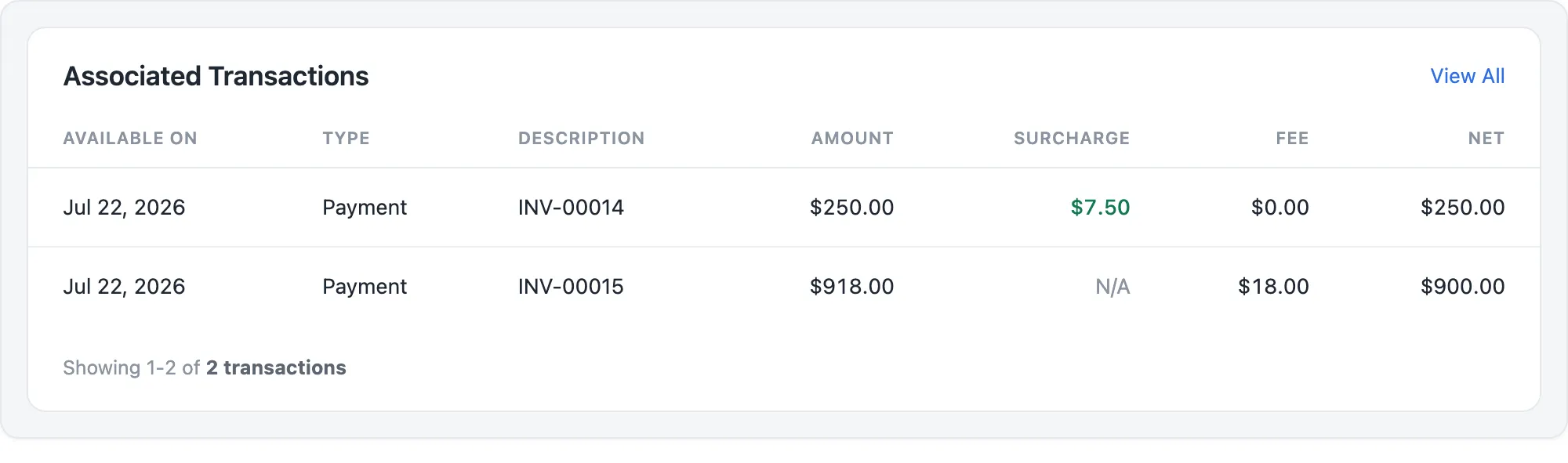
When you open a payout, the Associated Transactions table includes a Surcharge column that shows the surcharge amount your payer paid on each transaction.
For a surcharged credit card payment, Fee shows $0.00 and Net equals the invoice amount, so you receive the full invoice amount for that payment.
For a payment that is not surcharged, such as a debit or prepaid card payment, Surcharge shows N/A. Your standard processing fee is deducted as usual, and Net shows the amount minus the fee.
The surcharge covers the cost of accepting the card and is not part of your payout total. Any platform fee is billed separately and does not appear in your payouts.
Enabling Surcharging
Surcharging is set up and configured on your account by the Invoiced team. If you would like to enable surcharging, or have a question about your rate, reach out to your client success manager.
Availability
Surcharging is currently available for accounts in the US and Canada. It applies to credit and commercial cards; debit and prepaid cards are excluded. It is not available for accounts based in Connecticut, Maine, Puerto Rico, Quebec, or Massachusetts.